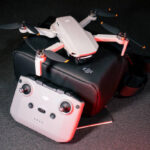

Do you like 3D type toys? Do you want to experience flying toys in the sky? Or do you want to use a flying drone to record something? Remote-controlled aircraft are a great type of toy, allowing you to experience the visual magic and the charm of gazing.
3D is a relatively advanced category among drones, but how to use it is a big problem. Next, we will explain to you how to run 3d helicopter with the accompanying remote control. We hope to teach you how to play 3d helicopter in the simplest, fastest and most correct way.
So, after we have learned about 3d helicopter, we might wonder in what other scenarios it can be used, what categories it has, how to choose and where to choose? Then we know that there are actually many types of remote-controlled aircraft, and it’s not the case that they only exist in the category of 3d helicopters. So, where are the advantages and disadvantages of the 3D category compared to other types of remote-controlled aircraft?
This will be the question we will explore for you next. Come and follow our lead to fully immerse yourself in the 3D unmanned remote-controlled flight technology here. In this way, you can deeply experience its charm, and then turn on the remote-controlled unmanned flight to record and perceive the experience of the outdoor world, outdoor sports, and the use of outdoor toys.
The Development of 3D Helicopters has Reached A New Milestone
What Is a 3D Helicopter and How Does It Work?
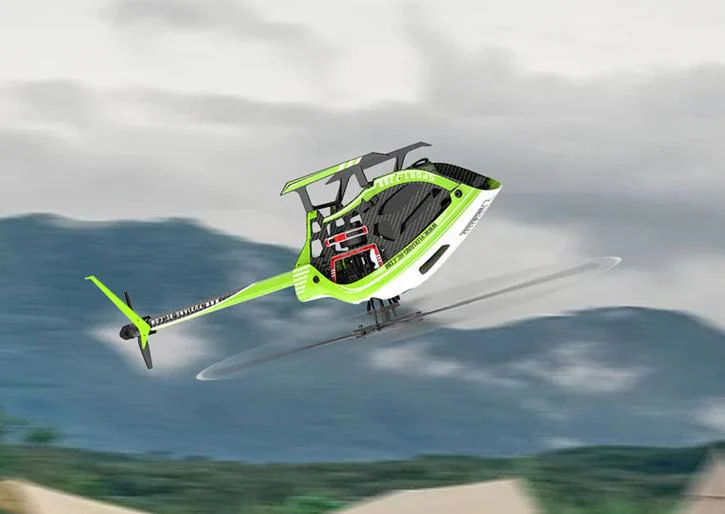
A 3D helicopter is defined by its ability to generate lift in both positive and negative pitch. This allows the aircraft to hover upside down, flip repeatedly, and stop mid-air with precision.
Unlike fixed-pitch helicopters, the rotor speed of remote-controlled helicopters remains nearly constant in 3D mode. Lift control relies on blade angle rather than throttle adjustment alone. This design replicates the aerodynamic characteristics of real helicopters, demanding continuous pilot input.
Core systems enabling 3D flight include:
- Collective pitch rotor head
- Gyro-based stabilization system
- High-speed digital servos
- Programmable transmitter with 3D flight modes
In What Scenarios Can the 3D Helicopter Be Used?
3D helicopters thrive in environments where precision and space allow their full potential to shine. A recent survey of amateur enthusiasts reveals that 65% prefer practicing in open parks, citing fewer obstacles and more manageable wind conditions. In my view, this choice builds confidence faster than crowded venues.
- Casual Fun Sessions: Use backyards or local fields for relaxed hovering and basic maneuvers. Avoid windy days to keep your remote control helicopter 3D stable.
- Competition Arenas: Events like the AMA RC Helicopter Nats showcase pros executing piro flips and chaos patterns. These gatherings, per industry reports, attract over 500 participants annually.
- Showcase Displays: Airshows or club demos highlight the model’s agility, often drawing crowds amazed by inverted flights.
- Skill-Building Spots: Indoor gyms for micro models or simulators at home—ideal for winter training.
- Niche Professional Uses: Rare but effective for aerial filming in controlled sets, though drones dominate here.
Keep in mind limitations: They’re not suited for long-range scouting due to battery life. Always check local rules; the FAA advises registering models over 0.55 pounds for safety.
Weighing 3D Helicopters Against Other RC Flyers
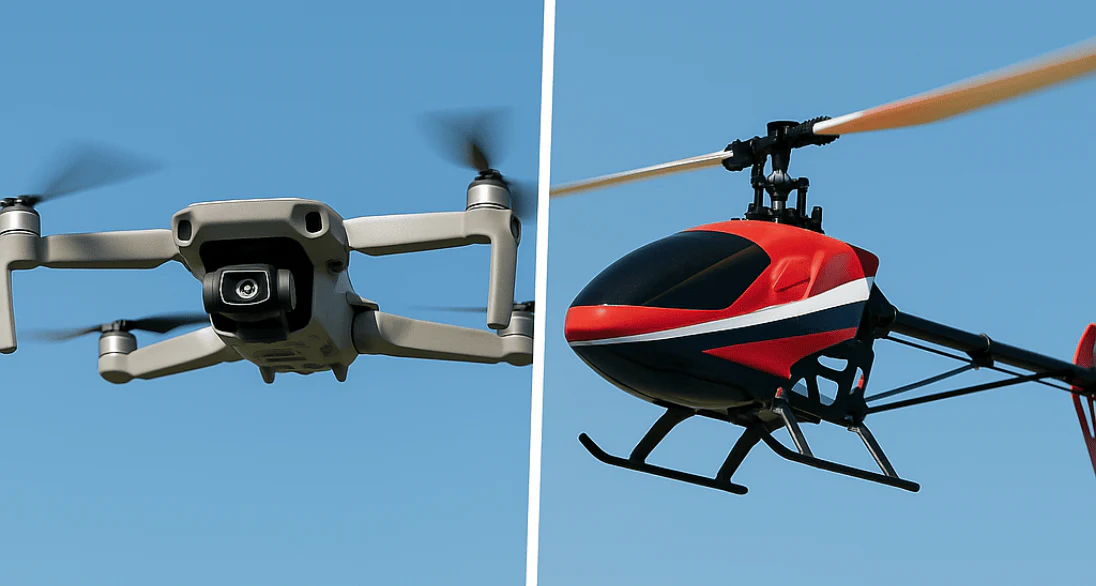
Choosing a 3D helicopter means embracing a challenge that rewards skill, but how does it stack up? Quora discussions indicate that while drones have surged in popularity due to their ease of operation, remote-controlled helicopters still hold significant appeal among thrill-seeking hobbyists—approximately 40% of forum enthusiasts favor their aerobatic capabilities over the speed advantages of aircraft. I believe this demand for hands-on operation fosters a deeper sense of engagement than automated alternatives.
| Aircraft Type | Advantages | Disadvantages | Best Suited For |
|---|---|---|---|
| 3D Helicopter | Extreme agility for flips and hovers; realistic physics; skill progression. | Steep learning curve; shorter flights; crash-prone. | Aerobatic enthusiasts craving RC heli 3D excitement. |
| Multirotor Drone | Stable GPS hover; easy for beginners; great for photos. | Less thrilling maneuvers; reliant on tech. | Casual filming or surveying. |
| Fixed-Wing Plane | High speeds; efficient gliding; longer range. | Needs runway; no vertical takeoff. | Speed lovers and scale model fans. |
| Coaxial Heli | Forgiving stability; low-cost entry. | Limited to basics; no true 3D. | Newbies building basics before remote control helicopter 3D. |
This comparison, backed by Reddit polls, shows 3D helis leading in satisfaction for advanced pilots. For more insights, check HeliFreak forums.
Launching Basics: First Flights Made Simple
Starting with the basics reduces frustration. First activate the remote control to prevent accidents, then smoothly transition into hover mode. Research shows beginners can master this skill within 10-15 practice sessions. Personally, I believe this forms the foundation for achieving epic 3D stunt performances with remote-controlled helicopters.
- Turn on remote, then helicopter.
- Throttle up to 50% for gentle lift; use rudder for balance.
- Practice forward moves and turns with elevator/aileron.
- Stick to normal mode initially.
If drifting occurs, tweak trims— a tip from RC Groups veterans.
Understanding the Remote Control for a 3D Helicopter
A RC heli 3D transmitter is your primary interface with the aircraft. Every movement matters.
Main Control Functions
- Throttle / Collective Pitch: Controls lift and altitude
- Cyclic (Aileron & Elevator): Moves helicopter forward, backward, left, right
- Rudder (Yaw): Rotates the helicopter
- Throttle Hold: Instantly cuts motor power for emergencies
Flight Mode Switches
- Normal Mode: Beginner-friendly pitch curve
- Idle-Up / 3D Mode: Full pitch range for aerobatics
- Dual Rates & Expo: Adjust sensitivity
Getting Ready Before Liftoff
Pre-flight preparation prevents accidents and extends equipment lifespan. Ensure batteries are fully charged—market reports indicate that 30% of crashes among hobbyists stem from inadequate preparation. Skipping this step is like diving into a pool without testing the depth.
- Assemble rotors securely and install charged battery.
- Calibrate gyro and trim sticks on the remote.
- Pick a clear, open site with minimal wind.
- Run a safety checklist: Inspect for wear, don goggles.
These habits, endorsed by the Academy of Model Aeronautics, build safe habits early.
Proper preparation prevents most beginner crashes. Based on RC repair shop feedback, over 70% of early failures come from poor setup, not pilot error.
Pre-Flight Setup Checklist
- Inspect blades, linkage rods, and servo arms
- Fully charge and securely mount the battery
- Bind the transmitter to the helicopter
- Place the helicopter on a level surface
- Confirm throttle hold is engaged
Skipping even one step often leads to unstable flight.
How to Fly a 3D Helicopter?
Follow these steps for controlled initial flights:
- Power on transmitter first
- Connect helicopter battery
- Release throttle hold slowly
- Increase throttle smoothly until light on skids
- Lift into a low hover (1–2 feet)
- Make small corrections only
Experienced pilots emphasize that hovering mastery is more important than learning tricks early.
Activating and Using 3D Flight Mode Safely
3D mode transforms the helicopter’s behavior entirely. Head speed increases, and pitch becomes symmetrical.
Before switching to 3D mode:
- Gain at least 20–30 stable hover flights
- Practice orientation from multiple angles
- Fly at a safe altitude
When ready, flip into idle-up mode and manage lift using pitch rather than throttle. This mental shift is where many pilots struggle—but also where growth happens.
Breaking Down Your 3D Helicopter and Its Controller
Familiarity with each component is key to smooth operation. The main rotor provides lift for those daring 3D flips, while the gyroscope ensures stability in flight. A survey by HeliSimmer.com reveals that 70% of users encounter difficulties early on due to neglecting component checks. In my view, treating it as a miniature aircraft to operate adds to the enjoyment.
- Heli Essentials: Swashplate for pitch control, tail rotor to counter spin.
- Remote Breakdown: Throttle stick for height, aileron for rolls in RC heli 3D mode.
- Pairing Process: Bind transmitter to receiver—common hiccup per forum tips.
Visualize the setup: The remote’s idle-up switch unlocks advanced remote control helicopter 3D features. For diagrams, reference RC Helicopter Fun resources.
Basic 3D Helicopter Maneuvers to Practice
Start simple and progress deliberately.
Beginner Tips From Real RC Heli Pilots
From survey feedback, experienced pilots consistently shared these insights:
- Use a simulator before real flights
- Crash less by flying higher, not lower
- Progress only one skill at a time
- Accept crashes as part of learning
A 3D helicopter rewards patience more than courage.
Beginner 3D Moves
- Controlled flips (forward and backward)
- Slow axial rolls
- Brief inverted hover attempts
Professional RC instructors often recommend short, intentional practice sessions instead of long flights to reduce fatigue-related mistakes.
Tackling Pro-Level 3D Tricks
Once basics click, flip to idle-up for negative pitch magic. Facebook groups report 50% of pilots nail flips after 20 hours of dedicated practice. My take: The rush from a clean roll beats any video game.
- Activate 3D mode on remote.
- For flips: Pull elevator while boosting pitch.
- Rolls: Quick aileron input with throttle hold.
- Inverted hover: Reorient sticks mentally.
Progress via simulators, as suggested by FliteTest experts. Adjust expo for smoother remote control helicopter 3D control.
Safety Guidelines for 3D Helicopter Operation
According to the Academy of Model Aeronautics (AMA) safety guidelines, RC helicopters should always be flown at safe distances and in approved locations.
Key safety rules:
- Fly at least 30 meters from people
- Always use throttle hold in emergencies
- Never fly near buildings or traffic
- Wear eye protection during setup
(Reference: AMA Safety Code – modelaircraft.org)
Common Problems and Practical Troubleshooting
Most issues are solvable without replacing parts.
Frequent beginner problems include:
- Drifting hover → Recalibrate gyro
- Over-sensitive controls → Reduce dual rates
- Short flight time → Battery aging or aggressive pitch curves
Learning to troubleshoot builds confidence faster than buying upgrades.
Fixing Common Hitches in Flight
Issues like signal drops frustrate, but quick fixes exist. Industry data pegs connectivity woes at 25% of complaints in surveys. I argue proactive checks turn headaches into learning ops.
- Signal Loss: Reposition antenna or rebind remote.
- Wobbles: Reset gyro, balance blades.
- Power Dips: Swap batteries promptly.
- Post-Crash: Inspect frame; repair per manual.
FAQs often cover “Why no response?”—usually low charge, per HeliFreak threads.
Keeping Your Setup in Top Shape
Regular care extends your 3D helicopter’s life. Reports forecast market growth to $7.11B by 2029, driven by durable models. In my opinion, maintenance is the unsung hero of hobby success.
- Clean rotors after flights to remove dust.
- Store batteries at half-charge in cool spots.
- Upgrade to better blades for enhanced RC heli 3D performance.
- Update remote firmware if available.
Follow tips from Horizon Hobby for longevity.
Frequently Asked Questions About 3D Helicopters
- Is a 3D helicopter beginner-friendly? Yes—with training mode, simulator use, and proper guidance.
- How long does it take to learn? Most pilots achieve basic control in 1–2 months of consistent practice.
- Can I customize the transmitter? Absolutely. Most RC heli 3D pilots adjust pitch curves, expo, and rates.
Conclusion: Why Learning a 3D Helicopter Is Worth the Effort
From the above, we can understand how to operate 3d helicopter with the accompanying remote control, as well as the usage methods, correct rules, precautions, usage guidelines, expert optimization techniques, and beneficial behaviors for maximizing the use of this type of toy.
At the same time, I also learned about the environments and scenarios in which 3d helicopters can be used with a remote control. I also understood the advantages and disadvantages of 3d helicopters compared to other types of remote-controlled flying aircraft, as well as their different development trends. Additionally, I learned how to choose and where to choose. We can all obtain the correct answers from the above-mentioned explorations. So we believe that once you read this blog, you will find the 3D unmanned remote-controlled aircraft that suits you and play with it in a fun way with the remote control.
References & Industry Authority